EchoFill
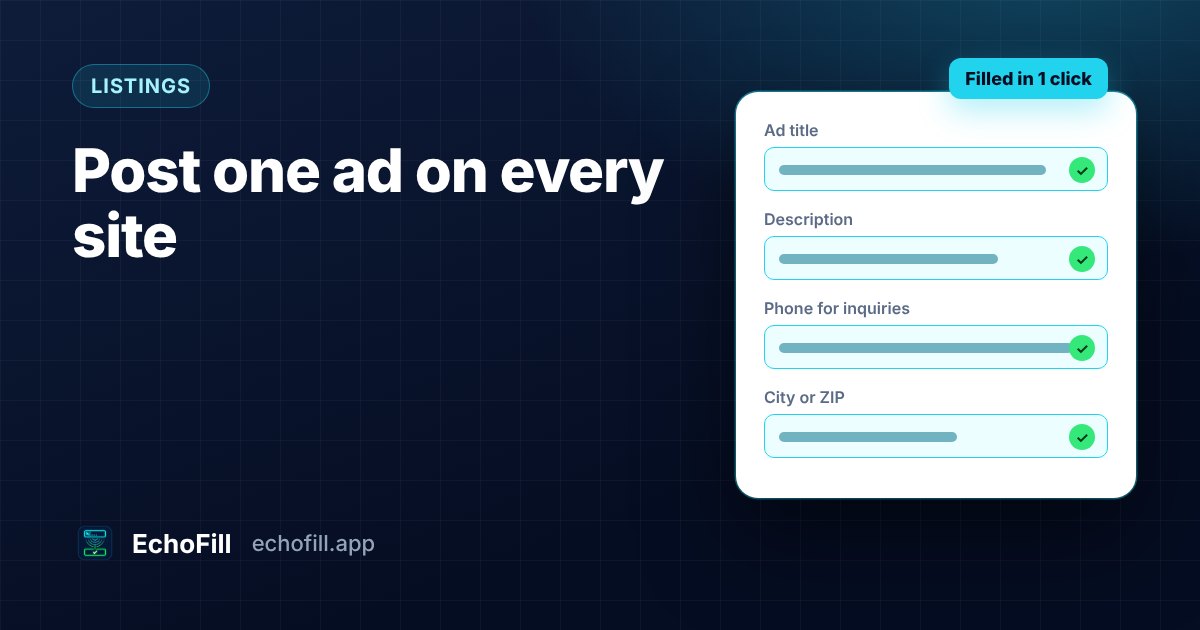
You wrote a good ad on the first site. The title is right, the description says everything a buyer or customer needs, and your name, area and phone number are in. Then you open the second site and the form is empty again. Same boxes, slightly different labels, and you're copying and pasting one field at a time.
When I moved out of my old apartment, I had a refrigerator to sell. I posted it on Craigslist, Facebook Marketplace and a few local newspaper sites, because each one reaches different people. Every site took a good chunk of time, and I was filling in the same things over and over: my phone number, the area I was in, how much I wanted for it. Using EchoFill cut that down a lot. It saved me at least 15 minutes per posting.
This post covers whether you need a paid crosslisting app, what stays the same from site to site, how to post one ad everywhere with a form filler, and the posting rules that catch people out.
Do you need a crosslisting app?
If you resell dozens of items a month, probably yes. If you post a handful of ads, probably not.
Crosslisting apps like Crosslist, Vendoo and List Perfectly are built for resellers. You connect your marketplace accounts, create a listing once, and the app publishes it to eBay, Poshmark, Mercari, Facebook Marketplace and others. The feature that earns the subscription is delisting: when an item sells on one site, the app takes it down everywhere else. That matters when you have 200 items live. Crosslist charges $29.99 to $44.99 a month (Crosslist), and Vendoo's U.S. plans run from $14.99 to $59.99 a month (Nifty, October 2026).
Most ads aren't that. A fridge from your old apartment, a room for rent, a couch, a tutoring service, a garage sale, a local event, a listing in a directory. You post it on three or four sites, it runs for a few weeks, and you take it down. For that, paying monthly and connecting every account to a third-party service is a lot of setup for a little typing.
| Crosslisting app | Form filler (like EchoFill) | Copy and paste from a doc | |
|---|---|---|---|
| Cost | About $15 to $60 a month | Free for 3 profiles; Pro from $2.99 a month | Free |
| Sites it works on | Its supported marketplaces | Any site with a normal web form | Any site |
| Accounts connected to a third party | Yes | No. Your answers stay in your browser | No |
| Photos | Uploaded for you | You add them | You add them |
| Removes the ad everywhere when sold | Yes, on supported sites | No | No |
| Best for | Resellers with many items | A few ads on several sites, repeated over time | One ad, once |
For what it's worth, when I sold my fridge I didn't even know crosslisting apps existed. And I don't want to install yet another app that takes up storage and memory just to post a few ads.
What stays the same from site to site, and what changes
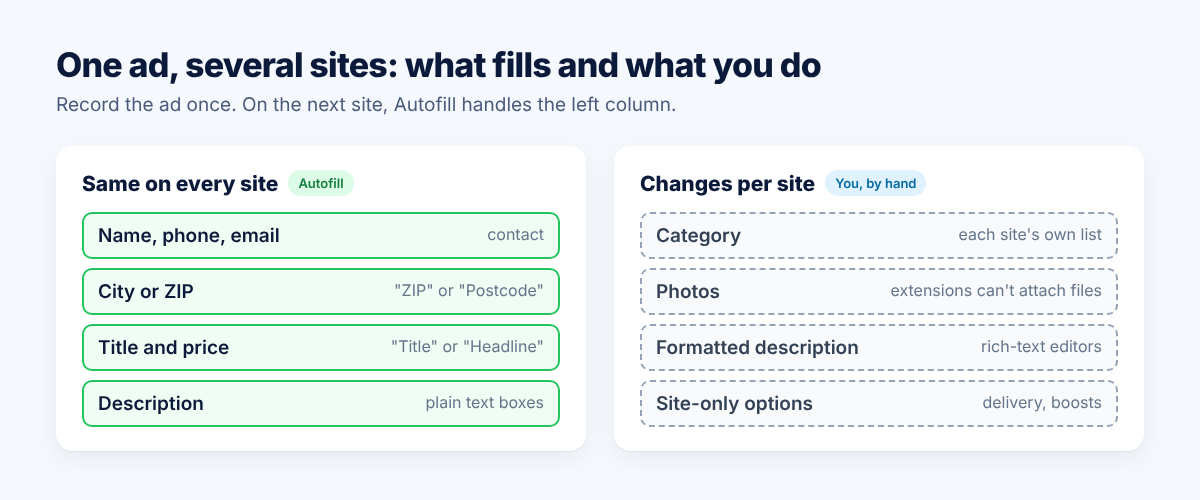
Most of an ad is the same everywhere. Your name, email, phone number, city or ZIP, the title, the description, the price and the "how to reach me" line don't change because the site did.
What changes is the form around it:
- Labels. One site says "Postcode", another "ZIP". One says "Headline", another "Title". A form filler that matches by label, name and placeholder handles most of these. Ones that rely on fixed field IDs don't.
- Categories. Every site has its own category tree. "Furniture > Tables" on one is "Home & Garden" on the next. You'll usually pick these by hand the first time on each site.
- Photos. Browsers don't let extensions attach files for you. You add photos yourself on every site, whichever tool you use. Crosslisting apps get around this by uploading through their own servers.
- Formatted description boxes. Some sites use a rich-text editor (the kind with bold and bullet buttons). EchoFill doesn't fill those yet, so paste the description there.
How to post one ad on several sites with EchoFill
The idea: write the ad carefully once, record it, and fill it everywhere else.
- Write the ad on the first site. Take your time here. This is the version you'll reuse, so fix typos and get the phone number right.
- Click EchoFill → Record this form before you submit. Name the profile after the ad ("Room for rent, Elm St" or "Weekend tutoring").
- Open the next site's "post an ad" page and click Autofill. EchoFill ranks your profiles by how well they match the page, so the ad you just recorded is usually at the top.
- Check what filled. Filled fields are outlined in green, and the popup tells you how many filled. Pick the category, add photos, and change anything that's specific to this site.
- Click Record this form → Update if you changed something you'll want next time on this site. Next time you post there, more of it fills.
- If something filled wrong, click Undo and the form goes back to how it was.
If you post a lot, two other setups work well. Keep one profile per ad, so you can repost any of them in a minute. Or keep a single "Contact details" profile with your name, phone, email and area, and type only the new title and description each time. The free plan holds three profiles. Pro removes that limit and adds Universal fields, which fill your contact details on a site you've never recorded by working out what each box is asking for.
I keep one profile per ad. Each thing I'm selling gets its own profile, so I can post it again on any site without starting over.
There's more on this setup on the listings and postings page.
Posting rules that catch people out
Filling the form faster doesn't change each site's rules, and a few of them matter when you post the same ad in several places.
- Craigslist limits reposting. Its rule is one category in one area, once every 48 hours. Similar ads posted in several cities close together can be "ghosted": they look posted to you but never appear, and Craigslist doesn't tell you (Chron). Post where you actually are, and don't spray the same ad across cities.
- Nothing takes your ad down for you. Without a crosslisting app, when the room is rented or the couch is gone, you remove the ad on every site yourself. One reseller who crossposted by hand double-sold six items in two months before changing how they worked (Closo). Keep a short list of where each ad is live.
- Re-read before you post. Autofill puts in exactly what you saved. If the price dropped or the dates changed, update the profile first, or you'll post the old version everywhere.
The one thing I'd tell a friend
Post it on as many platforms as you can. Yes, the audiences overlap, but a lot of them don't. In my experience, far more don't than do. The person who'd buy your fridge might only ever check one site, and visibility is what really matters when you're selling. That's exactly where a tool like EchoFill comes in handy: adding one more site costs a few clicks instead of retyping the whole ad.
Just keep it to different platforms, not the same ad copied across many cities on one site. That's what gets ads ghosted on Craigslist.
Frequently asked questions
Can I post the same ad on Facebook Marketplace and Craigslist?
Yes, as long as each listing follows that site's rules. Craigslist limits you to one category in one area every 48 hours, so post in the area you're actually in. Remember to take the ad down on both when it's sold or filled.
Can a form filler upload my photos too?
No. Browsers don't let extensions attach files, so EchoFill and similar tools fill the text and choices and you add photos yourself. Crosslisting apps upload photos because they post through their own servers after you connect your accounts.
Is a crosslisting app worth it for a few ads?
Usually not. The main thing a subscription buys is automatic delisting across marketplaces, which matters when you have many items live at once. For a few ads that run a few weeks, a form filler or a saved document is cheaper and keeps your accounts unconnected.
Does EchoFill work on sites I haven't recorded?
Yes, with a click. Open the form, click Autofill, and EchoFill fills fields whose labels, names or placeholders match what you saved, then shows you what it filled. Pro's Universal fields go further and fill common details like name, phone and ZIP by meaning, even when the labels are different.
One short email when we publish a new guide. No spam, unsubscribe anytime.